
Loans allow participants in a retirement plan the ability to use part of their balance early, without paying taxes or penalties. Payments are made back to your account over a period not greater than 5 years through a payroll deduction.
Check your plan offerings if loans are available in your account. If you’re unsure, feel free to reach out to discuss all your plan’s options. This information will be included in your plan’s Summary Plan Description (SPD) and Plan Highlights. Those can be found in your online account under the Learn tab.
Before requesting a loan:
- Login to your account at erisa.net/participant.
- Click on MY PROFILE in the top-right.
- In the sidebar, click Address and make sure it is current.
To request a loan:
- Inside your account, navigate to Manage > Loans > Loan Modeling.
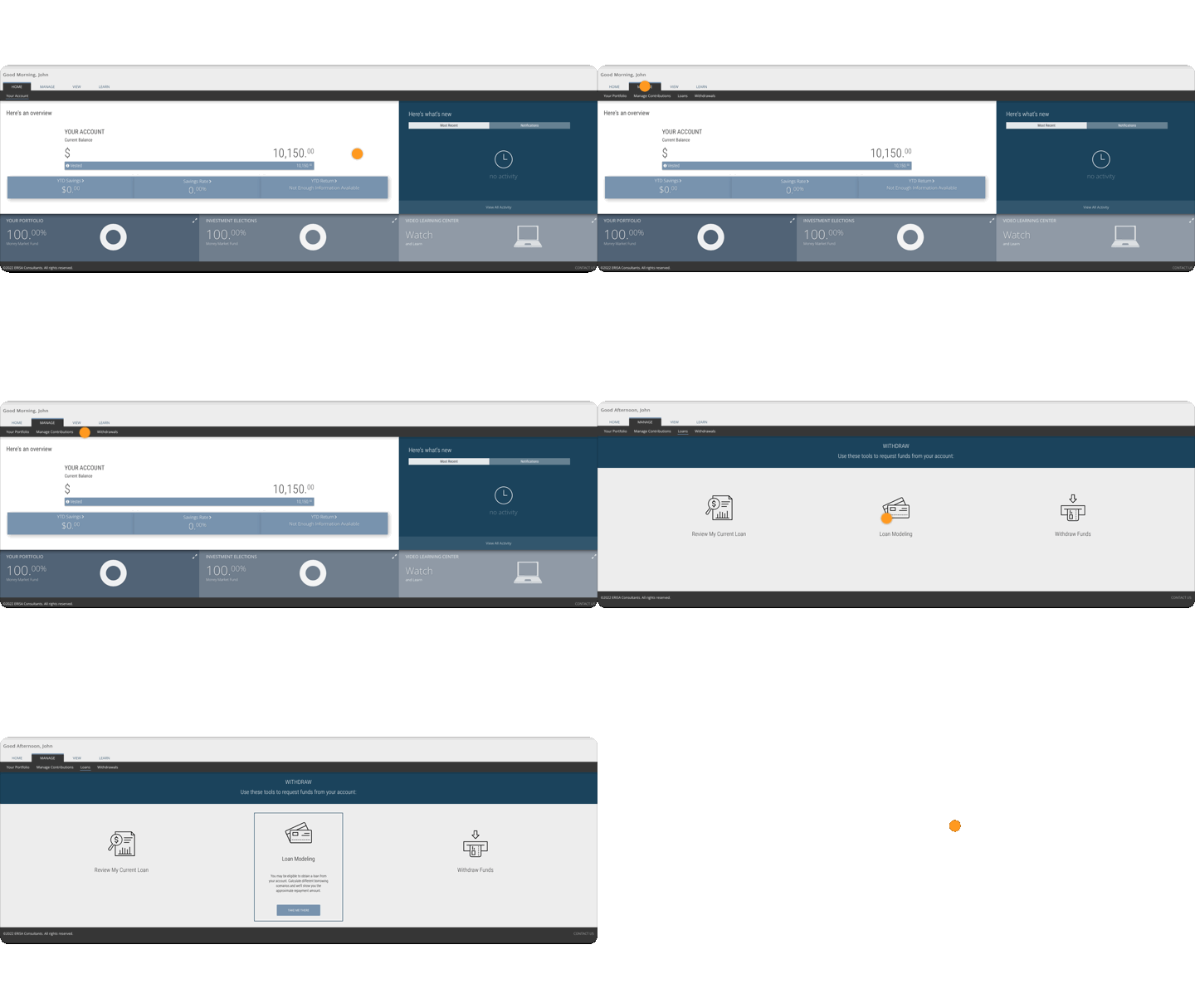
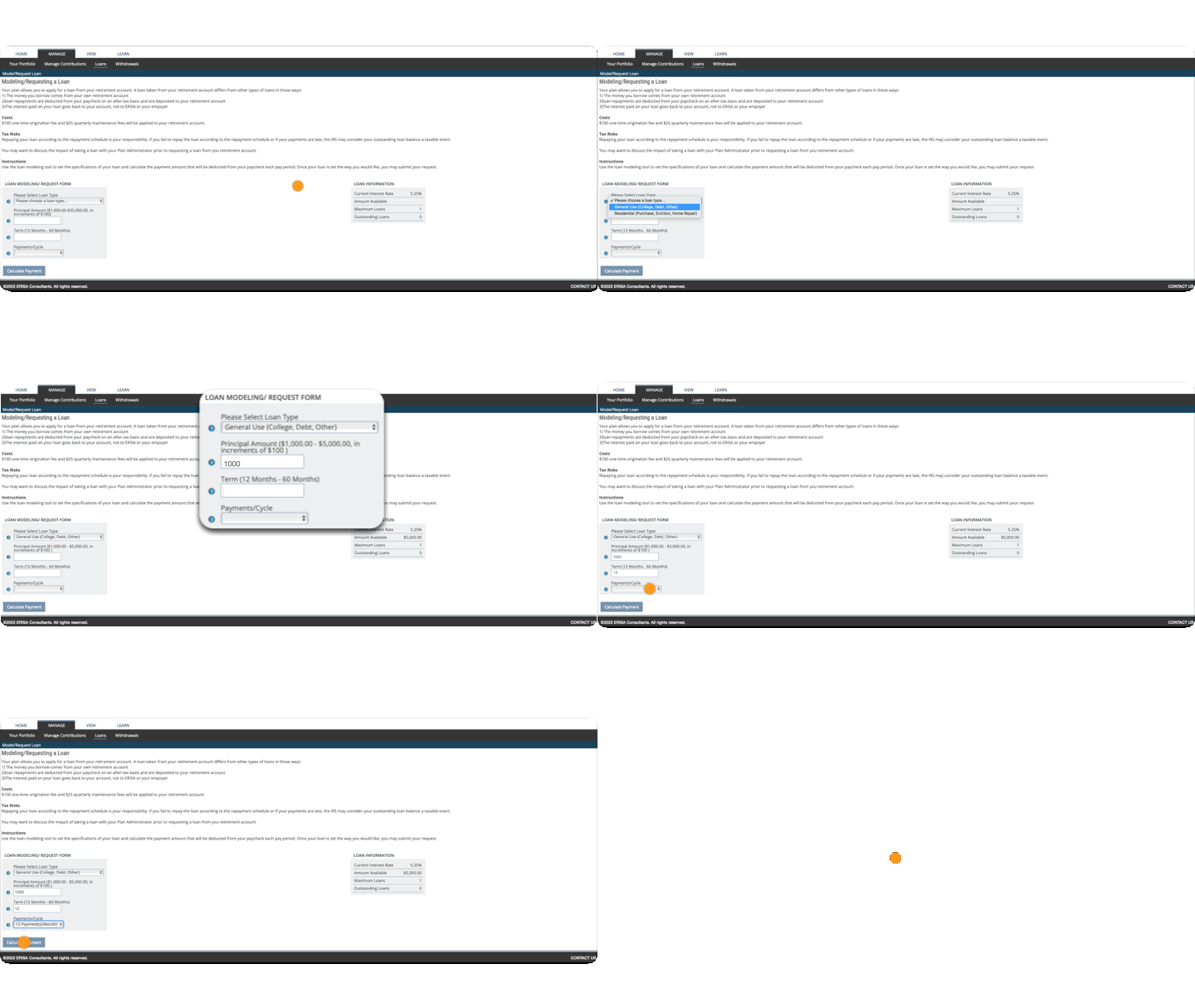
- Select a loan type from the list.
- Input your desired principal and term. The Loan Information box will provide information to help you.
- Select your pay-cycle from the list.
- Click Calculate Payment.
- Review the loan payment, and if necessary repeat steps 2-4 to adjust the terms of the loan.
- When you are ready to finalize the terms of the loan, click the Request Loan button.
- You will receive an email asking for your e-signature, usually within 1 business day.
FAQ
Will I be taxed for taking money out?
As long as the loan is paid back on schedule, the withdrawn amount is not taxed as a distribution. If you miss any payments for a quarter, your loan will be in default.
If the missed payments are not made by the end of the following quarter, your loan will be deemed. The outstanding principal of the loan is reported to the IRS as taxable income for the year, and you will receive a 1099-R.
Can I make extra payments?
Absolutely. You will need to send a check for any additional amount you want to pay towards your loan. Contact us for assistance in sending the check in.
Can I take more than 1 loan?
It varies with each plan. You can check your plan’s Summary Plan Description or Plan Highlights. The loan modeling tool will also tell you the number of loans allowed.
What will be charged?
The interest on a loan from your retirement account is paid back to yourself, which can make it attractive compared to a conventional loan.
Fees for taking out loans are described in your account. Go to View > Performance & Statements > Statements & Disclosures. Let us know if you need help understanding your fees.